Develop your idea with the rigor of a product team.

Describe what you want to create. Maestro helps you plan it, builds your application and helps you improve it.

Coming soon to macOS 13 and later. Free during the beta.

Your idea

You describe your idea

Describe the tool you dream of in a conversation. Margaux, the analyst, turns it into a clear project.

The team

Nine specialists, one director: you.

Each specialist takes the stage in turn. Hover over a seat to pause on that person.

The team's workshop

Analyst

Margaux

She scopes your idea and turns it into a clear project.

  1. You : I would like an app where people in my neighborhood can swap plants, but I do not know where to start.

  2. MargauxAnalyst

    Margaux : We start with them. Who are these neighbors, and what stops them from doing it today? Everything else follows from that.

  3. You : Put that way, it is already clearer.

What she delivers

  • Your brief, in writing
  • The right questions, asked early

« Tell me about your idea as you would tell a friend. I will take care of the structure. »

On stage : Margaux · Analyst (1/en9)

Maestro picks up your product where it stands.

Vibe coding starts with code. Maestro starts by understanding what you are building.

A new idea

Five-figure quotes, a developer you cannot find, a no-code tool that locks you in: your idea was waiting. Describe it. The team scopes it and writes the specification; you approve it, and the build starts from that text. Every change returns to it, so nothing gets lost along the way.

An existing tool

The overflowing spreadsheet, the software nobody maintains anymore: provide them as they are, without cleaning anything first. Your working rules emerge in writing, including the ones nobody had documented. The new tool is built alongside the old one. Your business keeps running during the work, and you switch on the day you choose.

Two starting points, the same method behind them.

Who it is for

Have it built, stay in charge.

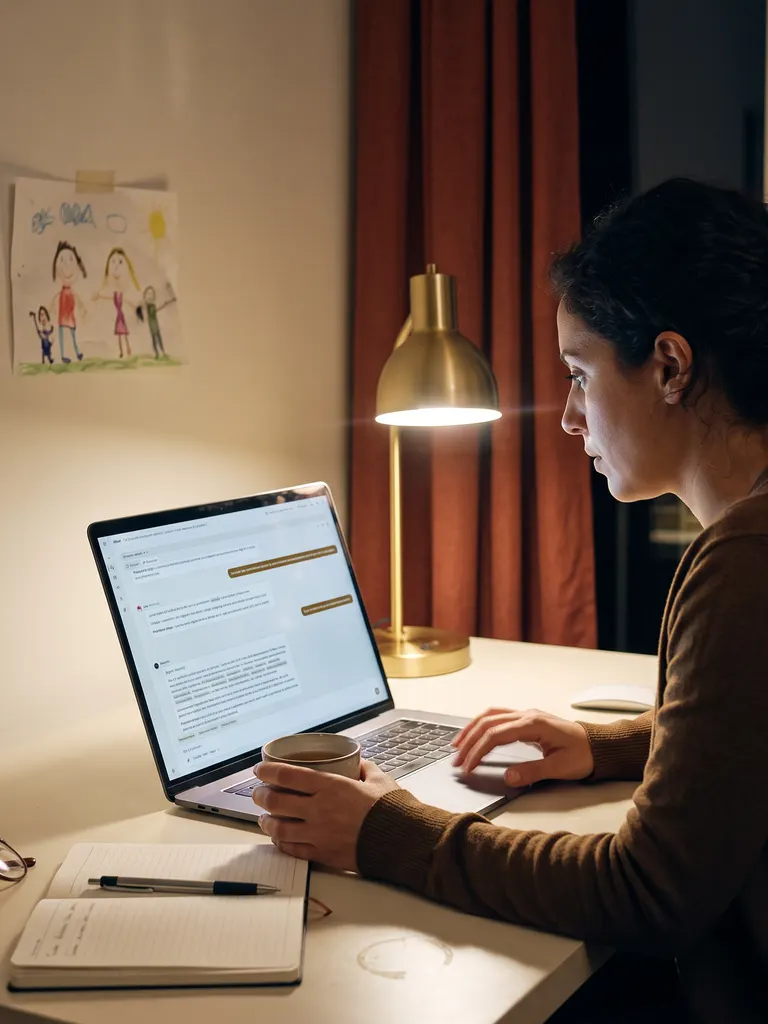
A founder at her desk in the evening, a brass lamp on, her product taking shape on screen.

The founder short on time

The prototype impressed everyone; the next version broke it. Here, she describes, approves, and the product moves forward every day, without raising funds or hiring.

A craftsperson at their workbench, wood shavings in the morning light, their business tool on a tablet.

The lawyer, accountant, craftsperson

The file that keeps the business running, with dates entered as text and duplicates no one dares to sort out. They describe their work in their own words; Maestro builds the tool.

A product owner making decisions, notebook open, an orderly work plan on screen.

The project manager, the product owner

The team's AI produces quickly, and no one knows who decided what anymore. Here, criteria are set before the code and every decision is recorded: nothing to reconstruct afterward.

A relaxed developer, hands behind their head: on screen, work progresses without them.

The developer who wants to move fast

“I fix one thing, it forgets two.” Here, tests are written before the code, and the code belongs to them, with clean version control: they stay in control and save hours of setup work.

Trust

Your ideas stay with you.

  • 100% local

    Your idea has no business being on someone else's server. Your product, documents, and decisions live on your machine: no Maestro server sees them.

  • Your own keys

    A key left lying around in a file will eventually leak. Yours are stored in macOS Keychain, never as plain text, never with us.

  • No mandatory cloud

    A tool that requires its own cloud has a hold on you. Online backup is a choice, using your own account, and everything can stay offline.

  • You can track costs

    Maestro shows costs in dollars when you use an API key, or tells you what is included in your AI subscription.

named agents, each with their own role
9

named agents, each with their own role

built-in skills
146

built-in skills

AI assistants to choose from
4

AI assistants to choose from

out of 100 from the judges, versus 83.5 for the reference method
93,3

out of 100 from the judges, versus 83.5 for the reference method

Quality measured against the open reference method, with the same scoring criteria for both, a documented protocol, and stated limitations.

Details in the comparison

Pricing

Free during the beta.

You may already have paid a quote for a product that was never delivered. Here, no price is displayed until we get it right: you use your existing AI subscription or your own keys, and usage costs stay with your provider.

Solo

To lead on your own

Freeduring the beta

  • The full app, locally
  • Your own AI access
  • Unlimited products
Join the waiting list

Subscription announced at the end of the beta

Team

To lead together

Included freeduring the beta

Everything in Solo, plus:

  • Collaboration through your GitHub
  • Roles and invitations
Join the waiting list

Free during the beta, per seat afterward

Enterprise

To deploy at scale

Everything in Team, plus:Guided deploymentDedicated contact

Can I create an app without knowing how to code?

Yes. With Maestro, you describe what you want in everyday language, direct the work and approve each stage. The code exists and belongs to you, but you do not need to open a terminal or an editor: everything happens in a clear interface.

Which alternative to Lovable or Bolt runs locally on a Mac?

Maestro is a desktop application for macOS 13 or later, not a web service. Your ideas, code and documents stay on your machine. The comparison covers the differences point by point: see /comparatif.

How is Maestro different from vibe coding?

Vibe coding starts with code: you ask, it codes, you ask again, and after a few weeks nobody knows what the product does anymore. Maestro starts by understanding what you are building, with scoping followed by a specification you approve. Every change starts from that written foundation, so your product moves forward without losing what worked. Full comparison at /comparatif.

Can I start from an existing tool, spreadsheet or old business application?

Yes. Provide the existing tool as it is, and Maestro extracts your working rules for you to review. The new tool is then built alongside the old one, and your data moves over once it can do everything the old one did. It is the second starting point on the home page: /#chemins.

How can I build software with AI without putting its code in the cloud?

Your whole project stays on your machine, including version history. No Maestro server sees your projects: the app talks directly to the AI assistants you configure. If you wish, you can back up online to your own private account.

How much does creating an app with AI agents cost?

The app is free during the beta. AI usage costs are billed through your subscription or keys, by your provider: nothing passes through Maestro. The Maestro subscription will be announced at the end of the beta.

Does Maestro work with Claude, Codex, Cursor or Mistral?

Yes, all four: Claude Code, Codex, Cursor and Mistral Vibe. You choose your assistant and model and can switch at any time, even in the middle of a conversation.

Where are my data and API keys stored?

Your data stays on your machine and your API keys live in macOS Keychain, never in plain text or in a Maestro cloud. You control what leaves your computer. More details at /vos-donnees.

What does a team of AI agents actually mean?

Nine agents share the work: understanding your idea, preparing the plan, designing screens, building and checking. You talk with Maestro and approve the important decisions.

Do I keep ownership of my code and product?

Yes, entirely. The generated code belongs to you and lives on your machine, in a standard format you can open or take elsewhere whenever you want. Maestro does not lock you in: it helps you, it does not hold you back.

How can I try Maestro during the beta?

You will be able to download without creating an account, and the beta opens in waves. Leave your email: we will notify you as soon as your turn comes, and that is all we will do with your address.

Is Maestro available on Windows?

Not yet: Maestro is coming to macOS first (13 or later), and the Windows version is in development. Leave your email to be notified when it is released.

The journal

What is being written in the studio.

The full journal

Take the baton.

Leave your email to try Maestro in the first waves.

The beta opens in waves. People on the list try it first, and Maestro stays free throughout the beta.

The beta is currently available on macOS 13 or later. Your answer helps us plan other versions.

Your email is only used to let you know when access opens. Nothing else, we promise.