Alternatives to Lovable in 2026: which one to choose for your project
The right alternative to Lovable depends on three things: where your code lives, how you pay for the AI, and whether you are starting from a new idea or an existing tool. This guide compares eight tools on those three points, with prices taken from their official pages.
We publish Maestro, which appears in this comparison. The tools are presented by use case, with no ranking, no score and no paid links. Maestro's limits are written in the same detail as everyone else's.
8 alternatives to Lovable compared: price, code and data
Public entry prices in US dollars, billed monthly unless stated otherwise. They exclude AI usage beyond the plan, hosting and add-on services. Lovable sits in the first row as the point of comparison.
On a small screen, scroll the table horizontally.
Compare Lovable and eight alternatives: price, code, hosting and data
Tool
Who it is for
Monthly entry price
Exportable code
Local or cloud
Data in the EU
Main limitation
LovableReference · browser
People who want a web application online quickly, built through conversation.
Free · Pro $25/monthMonthly and daily build credits. Cloud and in-app AI cost extra.Official plan grid : LovableChecked on
Yes: GitHub sync on every plan, including the free one.
Cloud
Not stated. EU inference mentioned for the Enterprise plan.
Credits to watch; you cannot start from existing code.
BoltIn the browser
People who want to test an idea tonight, or pick up an existing project.
Free · Pro $25/monthFree: 1 million tokens per month, 300,000 per day. Billed by the token.Official pricing : BoltChecked on
Yes: sync with your code repository, publish on Bolt, Netlify or elsewhere.
Cloud
Not stated. Its privacy policy allows transfers to the United States.
The bill depends on how long your exchanges are: hard to predict.
Base44In the browser
People who want an application with data and services already connected.
Free · Starter $16/month billed annuallyMonthly billing price not shown on the pricing page.Official pricing : Base44Checked on
From Builder: export of the code to your GitHub repository.
Cloud, hosted by Base44
Only on the Elite plan, $160/month billed annually (checked on 2 September 2026).
Data in the United States by default; hosting elsewhere is not documented.
ReplitIn the browser
People who want to read a work plan before the agent builds.
Core $20/month$18/month billed annually. Free plan not confirmed on the page that day.Official pricing : ReplitChecked on
Code lives in the Replit workspace; ownership is not spelled out in writing.
Cloud, hosted by Replit
Not stated.
Effort-based pricing: the cost of a request is not announced in advance.
v0In the browser
People who want a polished screen, or who work with a team of developers.
Free · $30/user/monthFree plan limited in messages per day. One credit equals one dollar of usage. On October 10, the Plus plan was shown at $30 next to a struck-through $90 price: the rate may be promotional.Official pricing : v0Checked on
Yes: GitHub sync from the free plan onwards.
Cloud
Not stated.
Mostly produces screens: they still need to be connected to real data.
BubbleThe visual editor
People who want to set up screens, data and access rules visually.
No: data can be exported, the application stays on the Bubble engine.
Cloud, hosted by Bubble
Not stated. Choice of hosting location on the Enterprise plan.
Leaving Bubble means rebuilding the application elsewhere.
DyadOn your computer
People who want to build locally, on Mac or Windows, with their own AI keys.
Free · Pro $20/monthFree version with your own AI keys, paid separately. Pro includes credits.Official pricing : DyadChecked on
Yes: local files. Open source application (Apache 2.0, except the Pro module).
Local
Project on your computer; the AI provider you choose processes your requests.
AI keys and going live are yours to organise.
Claude CodeThe coding agent
People willing to define and check the work of a powerful agent on their own.
Included in Claude Pro, $20/month$17/month billed annually. Not included in Claude's free plan.Official pricing : Claude CodeChecked on
Yes: the code is written in a folder on your computer.
Local, AI in the cloud
Project on your computer; Anthropic processes what the agent sends it.
No framing imposed: the result depends on your instructions and your checks.
MaestroThe product team
People who want to lead a lasting project: frame it, approve it, then have it built.
Free during betaBy invitation. AI subscription or keys at your expense. Post-beta price not set.Our pricing page : MaestroChecked on
Yes: code and documents in a folder on your Mac.
Local, AI in the cloud
Project on your Mac; the AI assistant you choose processes what you send it.
macOS 13 and later only. Hosting the application is yours to organise.
Data in the EU: “not stated” means the official page we consulted does not mention it, not that the option does not exist. Ask support in writing before you pay. Prices change often: next check planned for December 2026.
Why look for an alternative to Lovable: credits, ownership, local work
Lovable does what it promises well: a web application online in a few exchanges. The reasons to look elsewhere often come later, as the project grows.
Credits first. Every build request uses credits, and so does every fix. The budget for a first screen says nothing about what the application will cost once you change it every week. Bolt bills by the token, Replit by effort, v0 in dollars of usage: the unit changes, the difficulty of predicting the bill remains.
Ownership next. Lovable syncs the code with GitHub, which is a real way out. But its documentation states that you cannot start a Lovable project from existing code. If you already have a tool, or might want to come back one day, check which way the door opens.
Local work, finally. In an online tool, your project lives on the publisher's servers. Dyad, Claude Code and Maestro write the code in a folder on your computer. Local does not mean offline: the AI still runs at a provider, which receives what you send it.
Which alternative to Lovable for your starting point
The best tool for an idea tested tonight is not the one that will run your business in two years. Start from your situation.
01
Testing an idea tonight: Bolt, Lovable or v0.
All three combine conversation and preview in the browser. Bolt can also pick up an existing project, a code repository or a Figma mockup. v0 produces high-quality screens that you then need to connect to real data. Before paying, run a complete flow: create a record, find it again, correct it. Note what it cost.
Keeping the project with you: Claude Code, Dyad or Maestro.
The code is written on your computer, and you choose where the application will be published. Dyad is the closest to Lovable, locally and with your own keys. Claude Code is a more general agent that you direct on your own. Maestro adds written framing and approvals before the build. In all three cases, going live is still yours to organise.
Here the first question is not the tool but your rules: who sees what, which data to carry over, which uses to preserve. Bubble lets you set up screens, data and rules in a visual editor, at the cost of an application tied to its platform. Maestro has these rules written into a specification that you approve before any line of code.
Lovable vs Claude Code: which one to choose if you can't code?
The two do not play the same role. Lovable is a platform: it builds, hosts and publishes. Claude Code is an agent: it writes and changes code in a folder, and leaves the rest to you. Compare the path between your request and a result you know how to check.
01
Lovable, to start in the browser.
Nothing to install, an instant preview and built-in publishing. Before paying, check the credits a complete flow needs and how to get your code back. The budget for a first screen does not tell you what the application will cost in use.
Claude Code has a desktop app with preview and review of changes: the terminal is not a must. It is included in the Claude Pro subscription. You still need to define the expected result, check what the agent changes and organise going live.
Maestro relies on the assistant you use (Claude Code, Codex, Cursor or Mistral Vibe) and adds a team of agents, a brief and documents to approve. Its value is keeping decisions and steps readable. The Mac beta remains by invitation, with AI usage at your expense.
Free does not mean no cost: there is almost always AI to pay for. Here is what we found on 10 October 2026.
Dyad is a free, open source desktop application: its code is published under the Apache 2.0 licence, except its Pro module, which uses a more restrictive licence. You provide your own AI keys, paid to their provider. It is the open source alternative closest to Lovable for people who do not want to touch code.
Open Lovable, published by Firecrawl under the MIT licence, is self-installed. It needs several service keys: Firecrawl, an AI model and an execution environment. It is a project for developers, not a ready-to-use application.
The free plans of online tools are for trying, not for running a business. Bolt offers 1 million tokens per month, Base44 25 message credits per month, v0 a limited number of messages per day, and Bubble a free plan to build. Lovable granted 5 credits per day, capped at 30 per month, at the time of our review on 13 September 2026.
AI app generators: what they do and what they don't
Lovable, Bolt, Base44, Replit and v0 are often filed under the label “AI app generator”. What they do well and what they leave to you is fairly consistent from one tool to the next.
What they do
Turn a description into screens, data and logic in a few minutes.
Show a clickable preview that you correct through conversation.
Publish a first version online, often from the same tool.
Connect a database and user sign-in.
What they don't do for you
Write the document that says what the product must do, and have you approve it.
Know your business rules, your exceptions and what your clients are allowed to see.
Guarantee that each change does not break what worked the day before.
Announce the cost of an application you will keep evolving for months.
For a prototype, that is not a problem. For a tool your business depends on, these gaps are paid for later, in fixes and in credits.
Detailed comparisons
Each tool has its dated review in the journal, with the sources consulted.
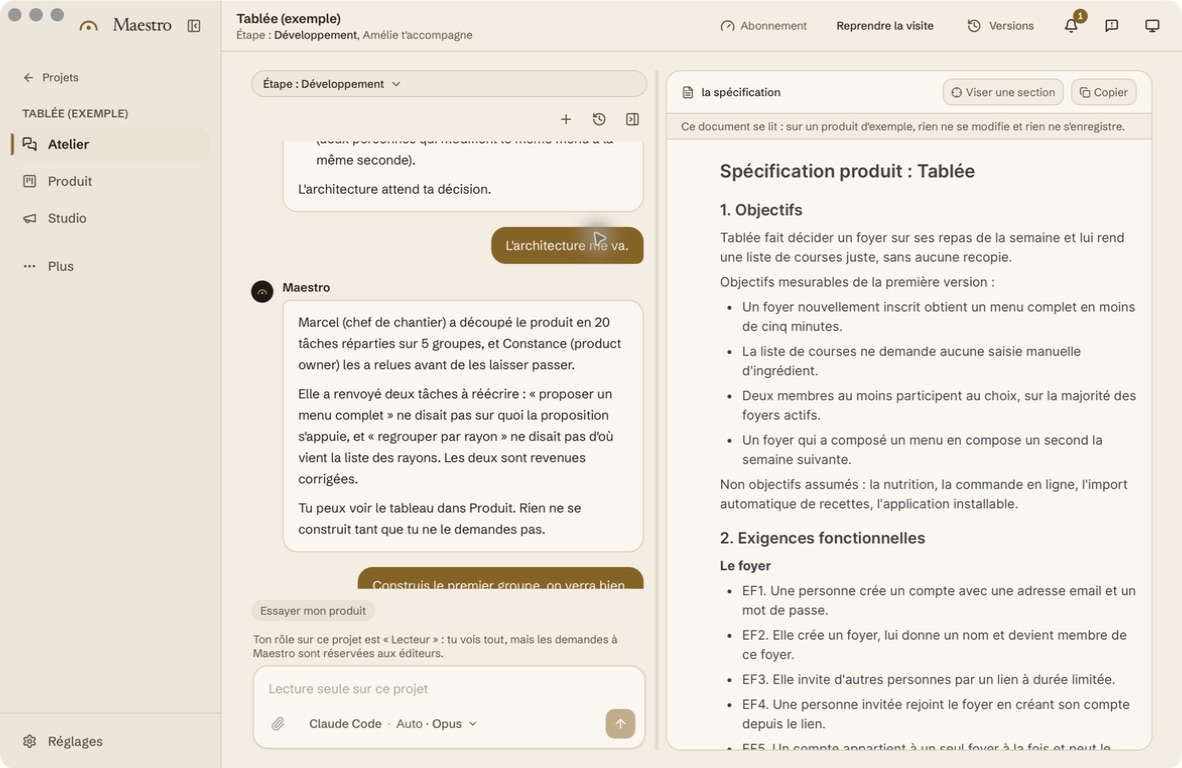
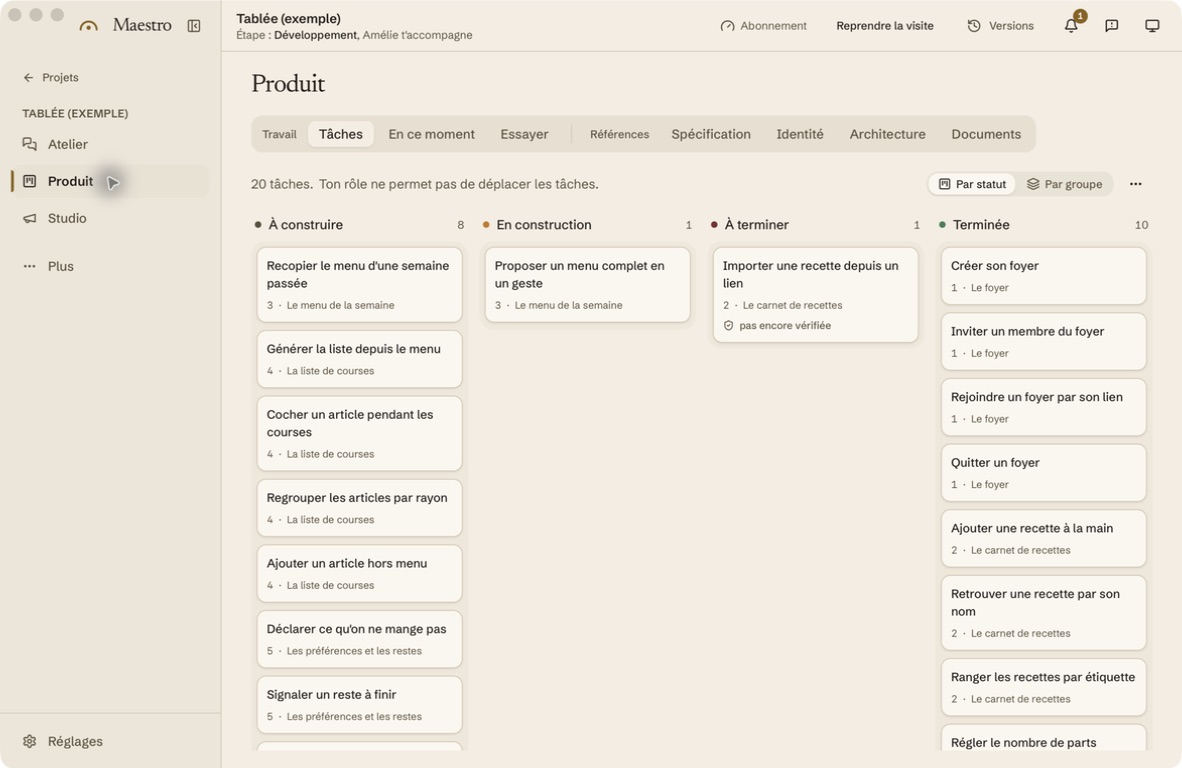
Maestro is not one more generator. It is a Mac application that has you direct nine AI agents organised like a product team: analyst, product manager, designer, architect, developer, quality and other roles. You read each document in French and say “Looks good to me” before a single line of code exists.
The code and documents stay in a folder on your Mac. Maestro relies on the AI assistant you already use, with your subscription or your keys. It suits a project you intend to keep alive, less a one-evening mockup.
What Maestro doesn't do, or not yet
It runs only on macOS 13 and later. The Windows version is in development.
The beta is free but by invitation: access opens in waves.
AI is billed by your provider, not by us. The cost depends on the assistant you choose and the work requested.
We do not host your application: going live and maintenance are yours to organise.
Approving each step takes reading time. That is the price of the method.
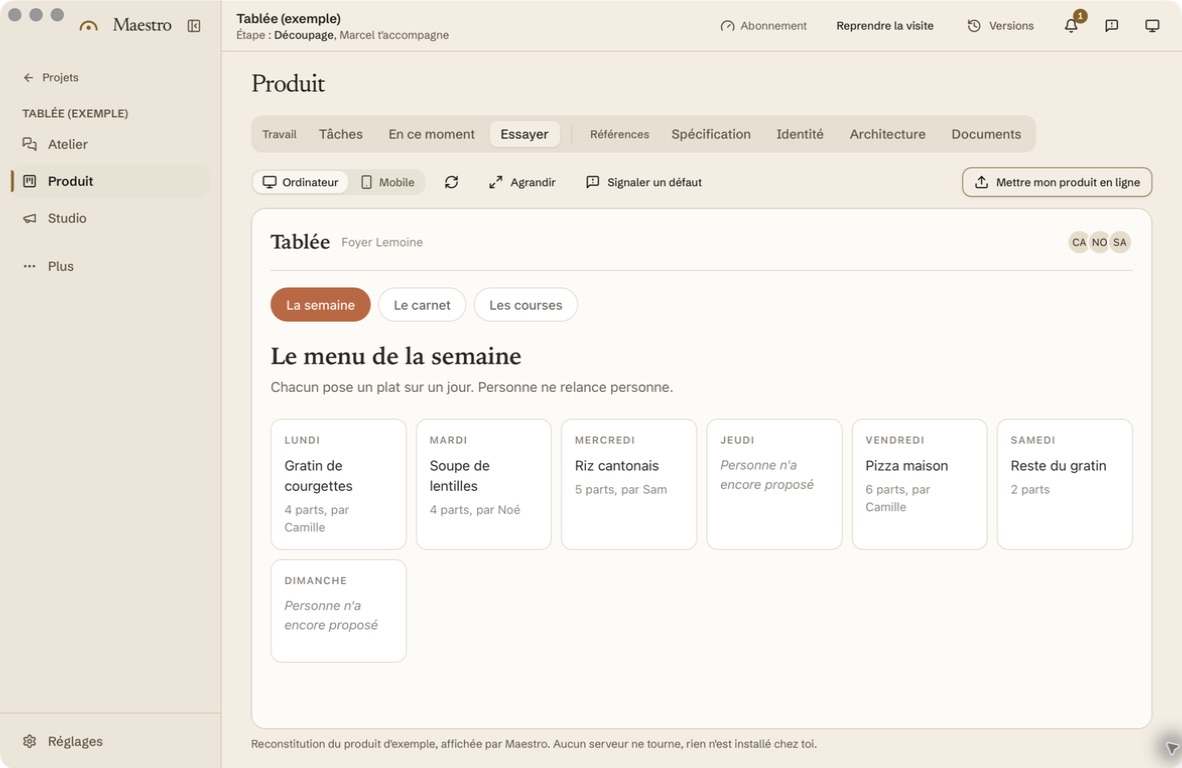
Screenshots of Maestro on Mac, in French. Tablée is the built-in example: its journey is scripted and its preview is an interactive mockup that does not save changes.
Internal test on 6 August 2026: nine scenarios, limited to an initial set of features. The BMAD outputs came from earlier campaigns. Three AI juries assessed each anonymized output; scores could credit features that were described but not delivered. The journal summarizes these internal reports.
Frequently asked questions about Lovable alternatives
Is Lovable free?
Lovable has a free plan to get started, with daily credits capped each month. The first paid tier, Pro, costs $25 per month billed monthly according to its official plan grid consulted on 10 October 2026. AI and hosting for the published application may come on top.
Can you get your Lovable code back?
Yes. Lovable syncs the code with GitHub on all its plans. The reverse is not possible: you cannot start a Lovable project from existing code. To take over an application, you will also need its data, its access to services and someone to get it running again.
Is there a Lovable in French?
The pricing pages consulted for this comparison are in English, with prices in dollars. Their assistants generally understand a request written in French, but the interface, documentation and support often remain in English: check them during the trial. Maestro was designed in French, from the interface to the specification.
Take the baton.
Leave your email to try Maestro in the first waves.