 By Thomas Cohen, founder of Maestro
Business software rebuild: planning data migration and the switch
When should you rebuild a business application? Understand the options, check the warning signs, preserve your data and test the change before switching.
Redesigning a business application means replacing or rebuilding all or part of a working system while preserving the data and rules the business relies on. It involves more than changing its screens. In our example, two colleagues copy orders from the old software into a spreadsheet every Friday to plan installations. The new tool must remove that chore while retaining deposits, respecting discounts and keeping the appointments already promised.
This guide follows a fictional workshop that sells and installs made-to-measure furniture. Nadia organises installations, Karim runs the workshop and Lucie tracks payments. Their names, records and amounts are invented to explain the method. You can adapt their approach to a practice, an association or a small business, replacing the examples with your own situations.
1. When should you redesign a business application?
Consider a redesign when verified limitations prevent essential work and neither a repair nor an existing product adequately meets the need. The age of the software, dated screens or a wish to use AI are not enough to decide. The priorities are to preserve business rules, transfer data without losing its meaning and keep operating during the change. In our workshop example, Friday’s planning reveals a problem; it does not yet prove that everything needs rebuilding.
Over a few representative working days, record each obstacle: the task, the person affected, the workaround and its consequence. “Slow software” becomes “Nadia waits for the record to open before confirming a date to the customer.” Include what works well. Those strengths need protecting, even if they seem unremarkable.
- An export no longer works: reproduce the fault on a copy and get a repair estimate before considering a redesign.
- A feature is missing: try an existing product on the same case and compare its limitations, cost and data export options.
- An essential business rule remains impossible: isolate that workflow and assess rebuilding just that part.
- Nobody can maintain the software anymore: have access, backups and dependencies checked before choosing between a technical handover and a replacement.
For each option, record the observed problem, the evidence, the cost to confirm and the person who approves it. Karim needs to move an installation after a supplier delay: he tries the same case with a repair, an existing product and a first rebuilt workflow. If rebuilding wins, write down the specific limitation that justifies it and what will remain in the old tool. This decision becomes the starting point for the requirements document.
2. Gather what the business already knows
Start the assessment with people who use the tool, not just the person who bought it. Ask Nadia to show you her last busy morning, Lucie a corrected invoice and Karim an unusual order. Observe their entire process, including the calls, paper notes and files surrounding the software.
Gather available access, contracts, a trial export, document templates and the maintainer’s contact details. Check what you actually have: an installer, source code, a backup and a data file serve different purposes. Have a competent person confirm which materials let you restore and run the application.
Create a dated reference folder with a protected copy of the necessary materials. For discussions and trials, use fictional examples or records prepared to avoid exposing people wherever possible. A screenshot with the name removed may still contain an address or a confidential note.
- External tool (fictional example): the accounting software into which the workshop’s invoices are imported.
- Exchange: a file of invoices and credit notes, with their references, dates and amounts, exported from the business software and then imported into the accounting software.
- Frequency or trigger: at the end of each month, after Lucie approves the file.
- Owner: Lucie prepares the export; the accountant confirms the required format and checks the import.
- Expected trial result: import three fictional invoices and one fictional credit note into a test environment, find all four references with the same amounts, then check that importing the same file again does not create duplicates.
- Write down the unknowns too. “We do not know where attachments are stored” is a question to resolve. Letting it disappear behind an impressive mockup merely turns a visible uncertainty into an unpleasant surprise later.
3. Recover hidden rules and exceptions
Screens tell only part of the business story. In the workshop, an orange order means a supplier has not confirmed delivery. This meaning is written down nowhere. Recreating it as just a colour would lose the decision attached to it: Nadia must call before booking installation.
For each rule, record the starting situation, the permitted action and the expected result. For example: “If delivery is unconfirmed, Nadia can suggest a provisional date; the tool must distinguish it from a confirmed appointment.” Add the name of the person who decides when there is uncertainty.
Cases to ask people about
- An order cancelled after a deposit has been paid.
- Two customers with the same name but different addresses.
- An installation rescheduled after the customer has already received a message.
- A discount requested by someone who cannot authorise it.
- A missing attachment or an incomplete record handed over by a former colleague.
These examples become your verification notebook. Keep the approved answer and the reason for the decision, not just a screenshot. AI can suggest an interpretation of accessible files; users must confirm that it describes their work. The non-technical requirements guide helps bring these decisions together in a readable document.
4. Choose an initial part you can verify
The workshop starts with a read-only schedule fed by a copy of its orders. It does not yet change invoicing or messages sent to customers. This scope lets Nadia check dates and records before allowing an action that commits the business.
Describe the observable result: Nadia finds a week’s installations, opens the correct order and distinguishes provisional dates. Also specify what is excluded: taking payments, ordering from suppliers and sending automatic messages. Those exclusions prevent the first trial from quietly becoming a full replacement.
Prepare a small set of representative records: a routine case, a postponement, a cancellation and missing information. Have this workflow built, then try it yourself. A screen full of plausible data does not prove that the correct orders have been transferred.
5. Prepare the data transfer, field by field
A migration starts with clear mapping between the old and new tools. For each piece of information, record its original location, destination and planned transformation. The order number must remain a stable reference, even if the new software assigns its own identifiers.
In our example, the “Fitting date” column becomes “Installation date”. An empty cell means “date to be agreed”, never “today”. The amount “1 200,50” must retain its numerical meaning when transferred from a French-formatted file. The customer code must still point to the correct person, even when two customers are named Martin.
Plan how to handle duplicates and rejected records. Do not let an import silently skip troublesome rows. Lucie needs a list of orders that were not transferred, with an understandable reason and the person responsible for deciding what happens next. Some corrections can be made in a copy; the original is preserved.
Attachments and histories need their own checks. Finding a PDF’s filename does not mean its contents are accessible. Choose an order, open the document, check the customer and then find its associated deposit and date change. Also compare record counts and relevant totals.
Use the free Excel import preparation worksheet to document the mapping, even if your data comes from another application. The data migration guide explains cleaning and trials. Have the transfer approved by the person responsible for your data before replacing the database used in daily work.
6. Define who can see and change what
Transferring every account with every permission would be easy to request and difficult to justify. Nadia needs to organise installations; that does not automatically give her access to information reserved for Lucie. Write down permissions by action: view, create, edit, delete, export and administer.
Test with separate working test accounts. Hiding a button is not enough: have someone verify that the action is still denied when a record is accessed another way. Check exports, attachments and shared links too. The same restriction must follow the information through those workflows.
Before providing files to an AI assistant, confirm what may be transmitted, to which provider and under what conditions. A project stored on a Mac does not mean exchanges with the assistant stay on that Mac. Have the appropriate person validate choices involving obligations specific to your data and profession.
7. Run a trial that resembles everyday work
Once viewing has been validated, the workshop tries date changes on test records. Arrange a session with future users. Give them a task and an outcome to reach without showing them every click. Nadia must find the order of a customer who is calling, move a fictional installation and explain what changed. Watch where she hesitates and which information she looks for elsewhere.
For each trial, keep the record used, expected result, observed result and checker’s name. “It works” does not let you repeat a check after a correction. “Order A-104 appears on Tuesday with a provisional date” gives you a precise comparison.
Rank feedback by its consequence. Incorrect financial information blocks the switch. An ambiguous label needs fixing if it leads to a wrong decision. An aesthetic preference can wait if it does not obstruct work. This discussion belongs to users and the project lead, not the agent that generated the screen.
Repeat the affected checks after each correction, then a complete workflow. Fixing how an installation moves might affect a total or an export. Ask the provider or code maintainer to add suitable technical checks; your business trial complements them.
8. Keep both tools running without creating two versions of the truth
During the workshop’s first trial, the old software remains the reference for orders. The new schedule reads a dated copy. Everyone knows where to enter a change and when the copy was prepared. This simple arrangement avoids confusing a trial view with the official schedule.
Replacing selected functions gradually can reduce the size of a change. Microsoft describes this approach in its documentation on gradual system replacement, including coexistence constraints. Whether it suits your software needs checking; it is not automatic.
When the new tool starts accepting entries, specify which system is authoritative for each piece of information. If Nadia changes a date in the new tool, how does Lucie receive it? Any necessary synchronisation must be built, checked and maintained. Asking colleagues to copy changes indefinitely hides its cost without solving the risk of discrepancies.
Set a duration and an end condition for this transition. Each trial day, someone compares expected changes with changes received. While a discrepancy remains unexplained, do not remove the route that lets you resume work.
9. Plan approval, stopping and returning
The switch must depend on written criteria. Choose who can authorise it, who can stop it and how the team will be informed. Reserve a time compatible with your activity and the availability of someone who can intervene. A Friday-evening change is unwise if nobody can help the next day.
- Necessary records and documents have been found and checked.
- Amounts and critical rules produce the expected results.
- Access has been checked using different accounts.
- Users know where to work and whom to tell about a problem.
- The return has been rehearsed, including recovery of new entries.
In our fictional rehearsal, order A-109 is created after the initial transfer. Returning to the old tool must recover it with its attachments and deposit, without creating a duplicate. Keep a record of identifiers and actions performed. The same question applies to an order changed or cancelled during the trial.
France’s data protection authority, the CNIL, recommends testing backup restoration. Actually open the restored records during the rehearsal. If new entries cannot be recovered correctly, the return is not ready: fix the process before switching.
10. Price deliverables and the team’s time
Request a budget broken down into assessment, first workflow, data transfer, checks, launch and maintenance. For each stage, connect the price to a result you can examine. A payment linked to “development completed” remains ambiguous if nobody has defined what that includes.
Here is a purely fictional calculation, not a market price, with amounts assumed to exclude tax: €700 for the assessment, €1,800 for the first schedule, €900 to prepare and rehearse the import and €600 for launch support. This represents €4,000 in services, plus internal time and any actual recurring expenses planned.
In this simulation, the workshop also sets aside €1,000 for unknowns approved as the work progresses. That reserve is not an amount to spend automatically. If attachments require additional processing, ask for an explanation, a price and a decision before proceeding.
Count Nadia’s and Lucie’s hours spent on interviews, trials and training. Add the old tool’s costs during the transition, the new tool’s services, AI and any backups. The application budget guide helps separate these items and compare proposals covering the same scope.
11. Prepare handover and maintenance
Before closing the project, have someone who did not attend every discussion take over the documentation. Can they find the latest version, run the application, restore the data and understand important decisions? Any answer that relies solely on the builder’s memory needs to be written down.
Keep the responsible people’s contact details, operating instructions, access credentials in an appropriate location, dependencies used and maintenance arrangements. Specify who fixes an outage, who follows updates and who approves an improvement. Owning the files does not organise these responsibilities for you.
Also decide what happens to the old software: temporary viewing access, archiving and then retirement once the agreed conditions are met. Retention periods must be set according to your obligations, not invented by an agent. Before deleting anything, check that authorised people can still access the necessary data and supporting documents.
12. Use Maestro with a clear starting document
Maestro can help organise the description of the need, documents and construction in stages. Business decisions and verification of the switch remain your responsibility, together with people qualified to handle data and technical issues. State unknowns explicitly: the AI team cannot guess a rule kept only in a colleague’s head.
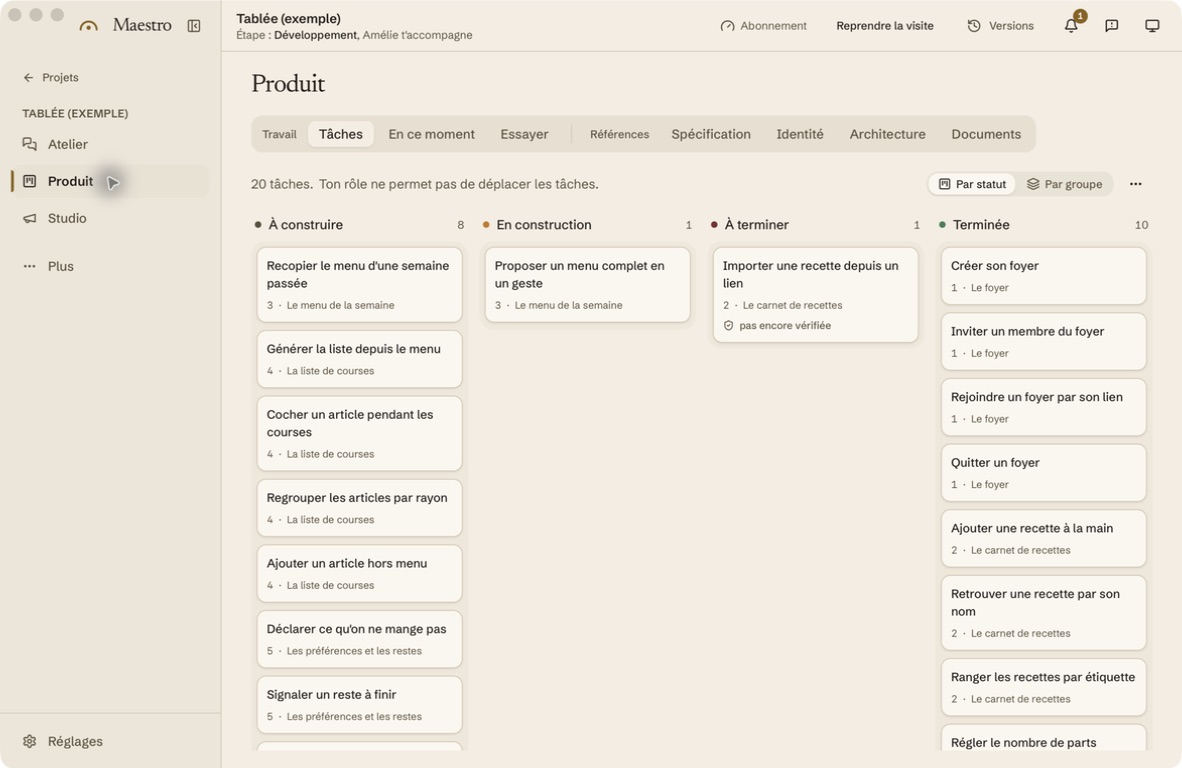
Start with the free requirements template. Write down the current problem, rules to preserve, first workflow and names of the people who approve it. Include examples prepared for the trial and a list of open questions. This document remains useful whichever tool you choose.
To explore the product, see Maestro’s existing-project workflow. As of September 23, 2026, its invitation-only beta is available on Mac; the application is free during the beta, with AI usage billed separately by your chosen provider. You do not need to wait for an invitation to prepare your documentation.
The workshop’s next decision is concrete: check that a read-only schedule finds the correct orders and dates. If the trial fails, Nadia knows what needs fixing. If it succeeds, the team has a basis for approving the next stage, with its checks and budget.
Read the complete guide: build an application without coding