
 By Thomas Cohen, founder of Maestro
Prototype, MVP or application: when is it ready for real users?
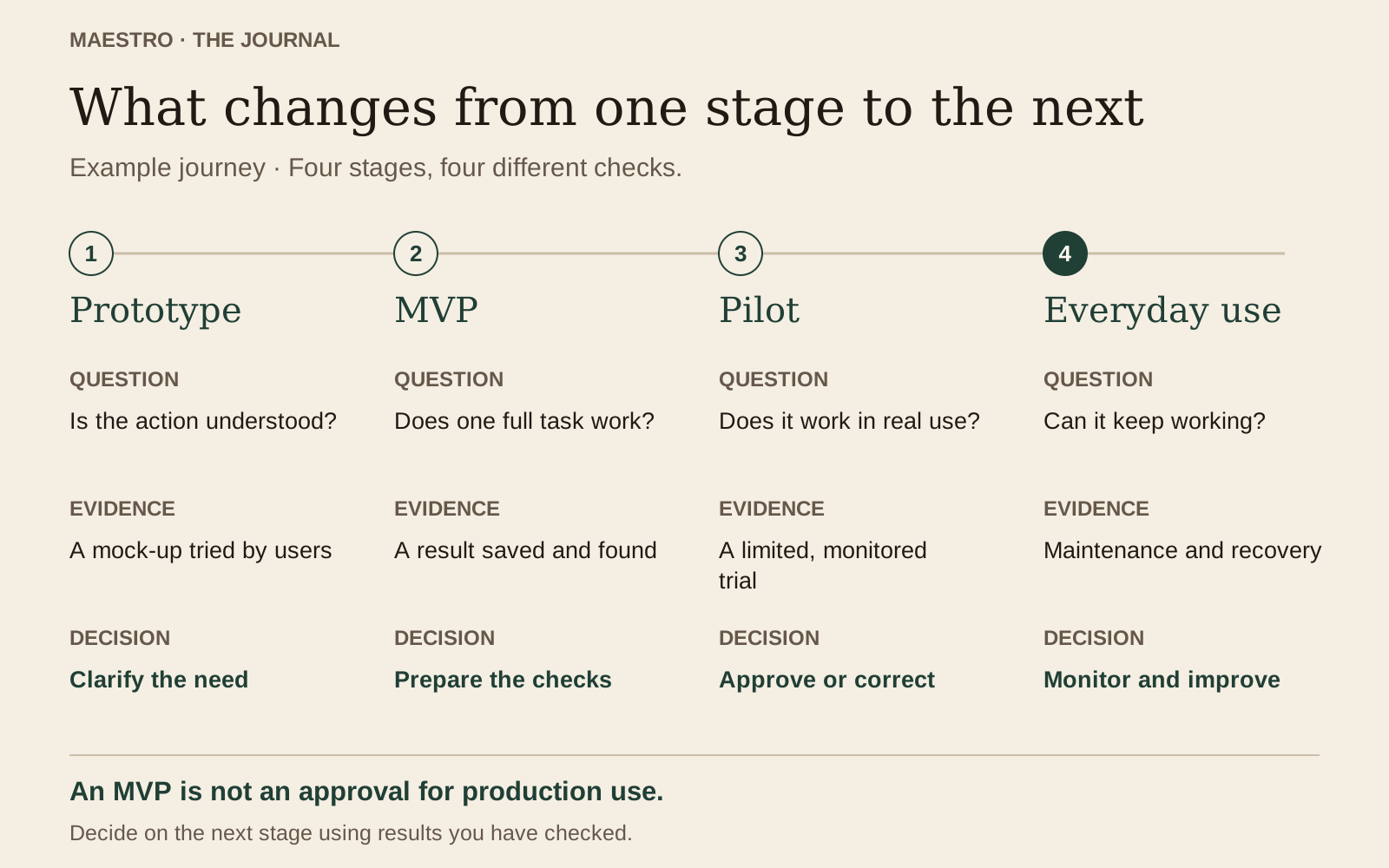
A prototype explores an idea; an MVP tests a limited use. Before involving real users, check the complete journey and record the evidence needed to approve a pilot.
Your page displays available times. Someone picks one, clicks “Book” and sees a confirmation. You have something to demonstrate. To decide whether you can use it for Monday’s appointments, there is another question: what actually happened after that click?
This guide concerns application prototypes, not physical products. We will follow Élise, who runs photography sessions in a fictional example. Her booking page first explores a journey, then a limited use, before regular operation. The results described are teaching examples, not trials conducted with a customer.
Four terms that imply different commitments
Teams do not all use these terms in the same way. Here are our working definitions for agreeing expectations with the person building your application. They are not universal definitions.
- Prototype: a representation or version used to examine an idea and journey, with some operations potentially simulated.
- MVP: a limited first version for learning whether a use delivers the expected value. MVP means minimum viable product.
- Usable application: a version that completes the intended journey under defined, verified conditions.
- Product in operation: an application in regular use, with monitoring, user support and identified people responsible for it.
The Lean Startup method describes an MVP as a way to learn from an initial product. “Minimum” therefore concerns the scope of the trial, not permission to ignore what makes that trial reliable.
These terms can overlap. An MVP may be usable by a small group; a prototype may contain real code. Clarify the commitment: what can the user do, with which data, and who intervenes if the result is wrong?
One booking journey, three stages to examine
At the first stage of our example, Élise shows invented appointment times. Clicking “Book” opens a confirmation page, but saves no booking. The prototype helps people discuss wording, the order of steps and the information requested. It cannot fill her real calendar.
At the second stage, she prepares an MVP for one type of session, offered to a few people. Choosing a time creates a saved booking that Élise can consult. Payments continue to be handled as before, and this limitation is stated. She wants to learn whether people complete the booking without having to phone her.
At the proposed third stage, booking becomes a regularly used service. Someone must know who opens appointment times, monitors problems, handles cancellations and recovers information after an outage. Reaching that stage does not follow simply from adding a “Publish” button.
Distinguish simulated actions from saved information
Before a demonstration, inventory the operations: what changes, where it is stored and how to find it again. A loading animation or green message can appear without the announced work having happened.
For Élise’s page, separate the displayed times, booking creation, message delivery and calendar update. One operation may work while the next is still simulated. Stating that clearly avoids drawing a broad conclusion from one convincing screen.
The GOV.UK Service Manual explains that a coded prototype can resemble a real service without meeting the same requirements. Appearance alone therefore does not justify using it in production.
- Displayed time: does it come from an invented list or saved availability?
- Confirmed booking: does it exist after closing and reopening the browser?
- Sent message: was it actually received at the test address?
- Updated calendar: can Élise find the same booking from her own account?
Start with test names and addresses. Distinguish what was observed, remains unchecked or is simulated. “Not tested” is useful; “it should work” turns an unknown into false reassurance.
Describe a complete action, from need to outcome
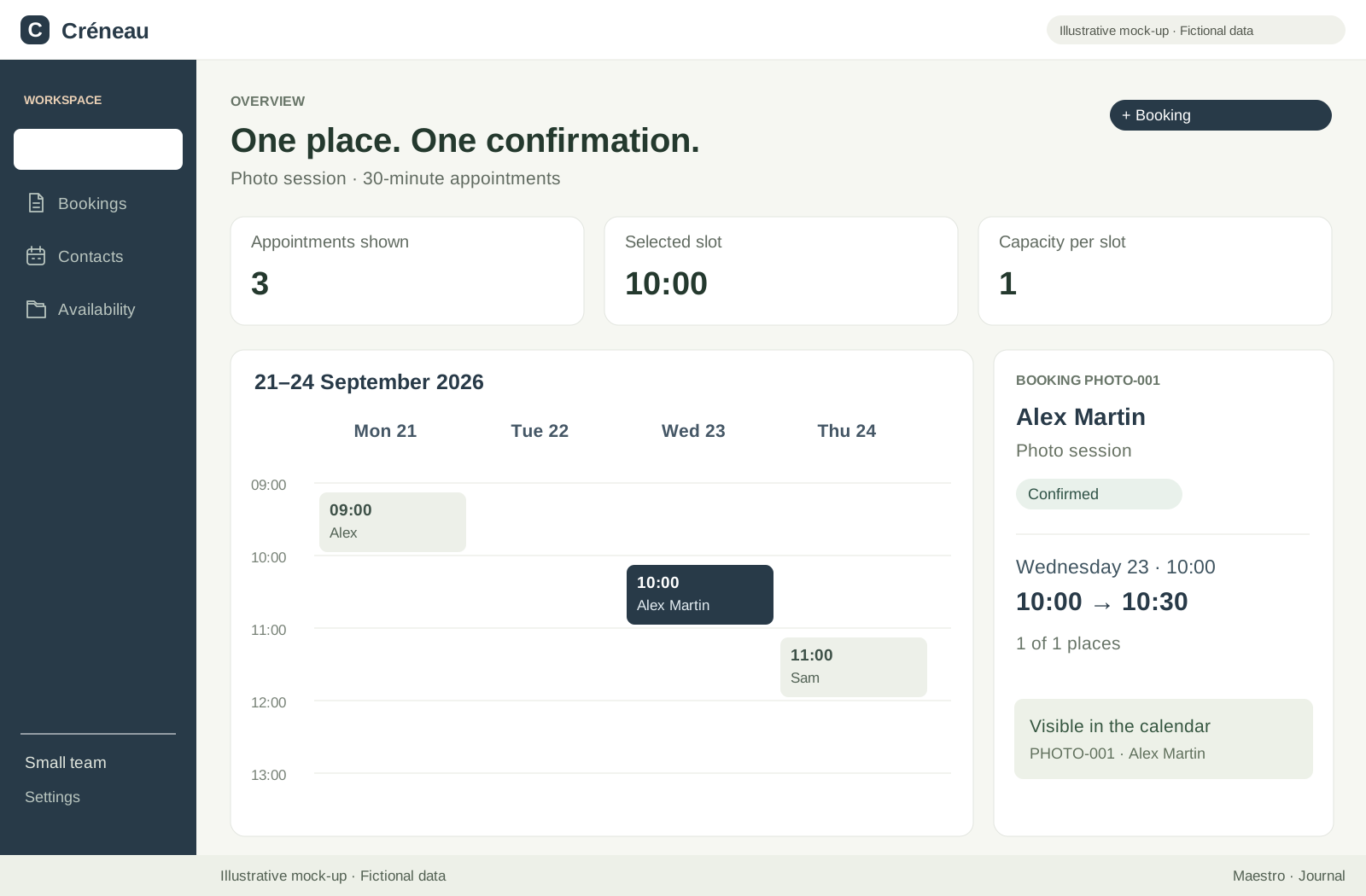
To decide whether the MVP is usable, choose an action the person must be able to finish. In our example: find an available time, book a session and retrieve the confirmation. Élise must also be able to consult that booking to prepare for the appointment.
Define the expected result before the trial. For example: exactly one booking exists for the chosen time, the person can find the correct date, and Élise sees the same appointment. “The button works” says nothing about those three outcomes. A written check helps everyone discuss the same thing.
Also use the intended conditions: a phone if customers will book on phones, Élise’s access for managing the calendar and a separate test account for the participant. A demonstration performed entirely through an account allowed to change everything does not represent those different uses.
Do not quietly change the criterion after seeing the result. If confirmation delivery is missing, you might arrange to send it manually during a pilot. Record that process, its owner and its limitations. It becomes an explicit scope decision, not an invented automation success.
Try the failures that affect your decision
One successful journey does not cover situations that make a booking ambiguous. In Élise’s fictional version, decisive checks include an already occupied time, repeated clicks and two people trying to book together. Each needs its own expected response and precise observation.
For simultaneous requests, prepare two accounts and the same available time. Trigger the requests together, with help from the person building the application if necessary. Then check the records, not just the displayed messages. Under our fictional rule, only one booking must be accepted for that time.
For repeated clicks, check that impatience does not create two appointments. For incorrect information, observe whether the person understands how to fix their entry. For cancellation, examine both the confirmation received and the calendar’s state. Each check addresses a real consequence of the journey.
This list does not replace a complete technical review. Our guide to the risks of an AI-built application covers access, data and changes in greater depth. Here, the aim is to identify the evidence missing before your next trial with users.
Prepare recovery before entrusting appointments to the tool
Recovery involves two different questions: restoring usable behavior and recovering information. Returning to an earlier code version does not necessarily restore bookings. A data copy does not necessarily make the service operational again. Ask for a concrete explanation of both.
In the example, Élise wants to know where to find confirmed appointments if the page becomes unavailable. A named person prepares recovery and tests it with fictional data. The record states what returns, what is missing and which interventions remain manual, without promising an unmeasured recovery time.
Also prepare to handle bookings received after the copy used for restoration. Otherwise, you could recover a calendar that looks normal while losing the latest requests. The pilot evidence record must identify who will find and reconcile those differences.
Build a simple evidence record
This record can be a shared document. It brings together the checks that justify a trial or its expansion. A screenshot is not always enough: for a booking, also note the saved record, received message and version examined.
For each check, copy this template and fill in the brackets. It is not a quality certificate: it makes facts and responsibilities understandable, including for someone who did not attend the trial.
- Version and date: [version examined, date and test environment].
- Starting situation: [user, test data, calendar state].
- Action performed: [exact action or sequence of actions].
- Expected result: [what must happen and what must remain unchanged].
- Observed result: [facts recorded, including discrepancies].
- Evidence retained: [retrievable screenshot, message, record or test notes].
- Responsibility: [person checking and person correcting if needed].
- Decision: [correct, continue the planned trial or suspend].
- Next step and limit: [next action, person and condition for reassessment].
Keep evidence free of sensitive information rather than sharing participants’ contact details. A row without an observed result remains a check to perform, however clearly the expected result is written.
Two completed examples for deciding from evidence
Fictional example: an ordinary booking
Version: trial A, September 26, test environment. Situation: a fictional participant account, an available time and Élise’s calendar opened separately. Action: book, then close and reopen the confirmation page. Expected result: a single booking, still retrievable, with the same time in the calendar.
Observed result in this invented example: the booking remains visible after reopening, and both views show the same time. Evidence: test booking reference, screenshots of both views and test notes. Person checking: Élise. Decision: continue the planned checks; this result alone does not yet authorize opening the pilot.
Fictional example: two people choose the same time
Version: the same trial A. Situation: two fictional accounts and one available time. Action: confirm both requests together. Expected result: only one booking is accepted; the other person receives an explanation and can choose another time. Invented observed result: both requests display “confirmed” and two bookings exist.
Decision: suspend the pilot launch and correct this issue. Responsibility: the person building the application; Élise then checks the result with them. Evidence retained: both references and the simultaneous-request test record. Condition for resuming: rerun this case after the fix, then the ordinary booking to check it still works.
Avoid the summary “one test passed out of two.” The second result prevents the intended use even though the first is correct. Decide according to the discrepancy’s consequences, not an average that gives every check equal weight.
Open a pilot with understandable limits
Once blockers have been fixed and checked again, specify participants, scope and review date. The GOV.UK Service Manual describes a limited private beta before wider access. We adapt that progression to a small project here.
In the fictional pilot, Élise invites a few people for one type of session. She explains how to report a problem and another way to contact her. She knows which appointment list is authoritative. If she keeps a parallel record, she assigns someone to reconcile the two lists at an agreed time.
Write down what will stop the trial: a lost booking, an unresolved duplicate or an inability to identify affected people, depending on your journey’s risks. Decide who can suspend it and how participants will be informed. “We will see if it happens” does not prepare the decision.
A pilot does not need to become a major organizational project. It needs rules its participants understand and someone they can contact. Our guide to an internal application for a small team explains how to share those responsibilities among colleagues.
Decide whether to correct, continue or suspend
On the agreed date, review the evidence and problems reported during the pilot. Correcting means addressing a discrepancy before the next step. Continuing means authorizing a named scope. Suspending means stopping the relevant trial and returning to the agreed fallback process. None of these decisions authorizes every future use.
If bookings are consistent but participants still call to understand session length, the trial has exposed a comprehension problem. If people finish booking but Élise re-enters everything elsewhere to do her work, the journey remains incomplete for her. These observations identify what to change next.
For regular use, identify who monitors incidents, maintains the application and revisits checks after changes. Keep a record of known limitations. “Usable for this journey” is a bounded conclusion, not a promise that no errors will occur.
Prepare your next version
Start with one sentence: “This version must allow [person] to complete [action]; we will decide what happens next using [evidence].” Then list what is simulated, choose the first missing check and name its owner. You will have a verifiable next step instead of a vague estimate of what remains.
If you are requesting a quote, our MVP budget guide helps estimate the chosen scope. Ask separately about preparation, testing and necessary follow-up. A sound transition to a pilot depends on that work, even when the initial demonstration was quick to build.
Maestro helps organize development with AI agents; it does not automatically turn a demonstration into an application ready for use. Its invitation-only beta is available on Mac, with the application free and AI usage separate. The Maestro overview introduces that workflow. Evidence and the decision to use the result still need to be established for your project.
Read the complete guide: build an application without coding