
 By Thomas Cohen, founder of Maestro
Lovable, Bolt, v0 or Maestro: which AI tool should you choose for your application?
Compare project preparation, construction, publishing and code handover. A reading of documented capabilities to help you choose for your needs, including Maestro's limitations.
Lovable, Bolt, v0 and Maestro let you approach application creation with AI, but their working environments differ. To choose, look at where you build, how you retain decisions and who looks after the product once it is live. The quality of the first screen does not answer those three questions.
This comparison was revised on September 6, 2026, using the official sources cited below. We publish Maestro, so we have a commercial interest in this comparison. This is a documentary review, not a comparative trial carried out on the same project. We publish neither a quality ranking nor a speed measurement between these tools here.
Lovable: persistent instructions and a preparation mode
Lovable offers persistent instructions at workspace and project level. They can retain business context and rules across conversations: claiming the tool has no memory would be false. Its Knowledge documentation describes these two levels and their limitations.
Lovable's official FAQ also documents a Plan mode for preparing changes before modifying code, a code editing mode, and Git export or synchronisation. During your trial, check how a saved rule remains enforced when you change another part of the application. This is a practical question to ask of every tool in this family.
Bolt: building and hosting in one environment
Bolt presents an application creation platform with integrated infrastructure: hosting, databases and user management with authentication. Its scope therefore extends beyond an interface mockup. This integration deserves attention if you want to limit the number of services to assemble when publishing a web application.
Before choosing, prepare a list of essential connections: payments, invoicing software, messaging and an existing catalogue. Check support for your specific case, then how to retrieve data and take over operating the product if you switch tools.
v0: interfaces, applications and the Vercel ecosystem
v0 presents application building with planning, tasks and database connections. The site also documents GitHub synchronisation, visual changes and publishing to Vercel. Reducing it to a generator of interface components no longer reflects that scope.
If your team already uses GitHub and Vercel, examine this workflow closely. Still distinguish publishing a new code version from recovering an application's data: your backup plan must cover both. Also ask who can view, modify and publish the project within your organisation.
Maestro: directing stages from a desktop application
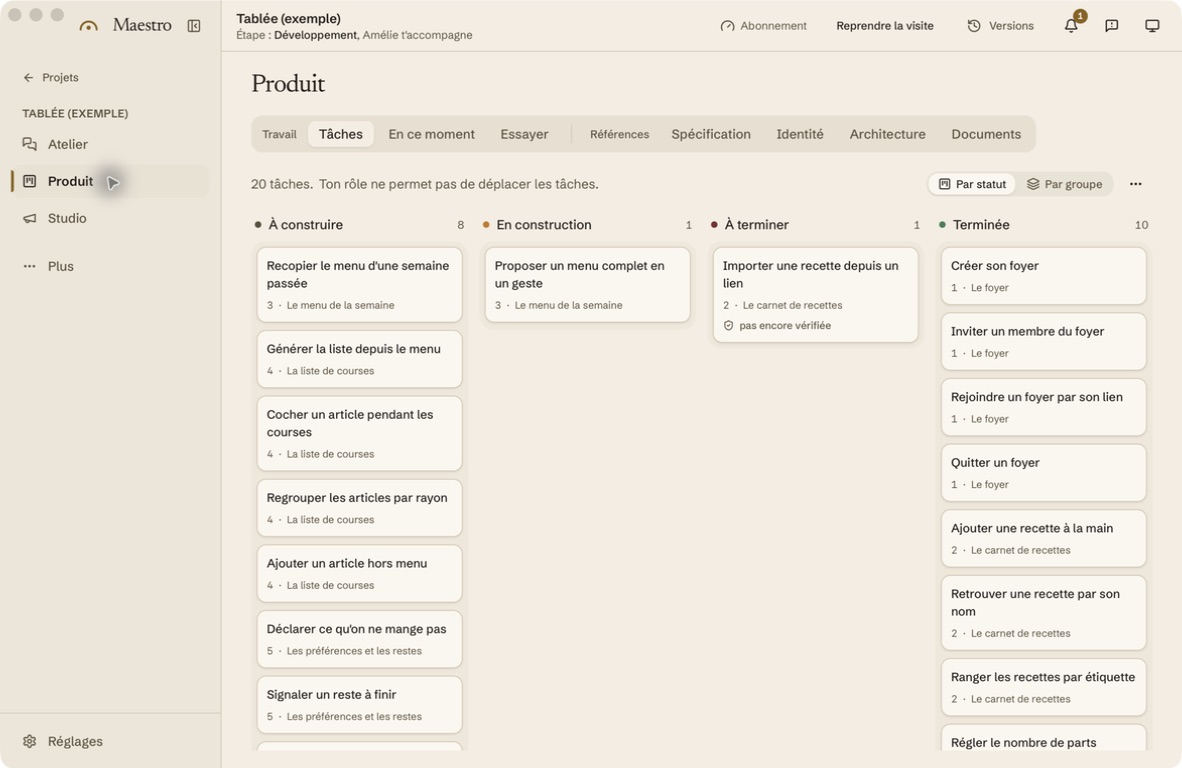
Maestro organises work around documents and approvals: you describe the need, review proposals and then follow the construction stages. The product tour shows this workflow. It is this way of directing a team of agents that we invite you to evaluate, without suggesting other tools cannot plan or retain rules.
The beta targets macOS. Project files live on your machine, but work entrusted to assistants involves exchanges with their providers; hosting for the resulting product then depends on your choices. Our data page distinguishes these flows. A desktop application does not mean the entire chain operates offline.
Which budget should you compare?
Compare the cost of construction, rework, hosting, databases and external services. Subscriptions, credits and limits change: we do not provide a single monthly price here that would imply it covers everything. For each offer you shortlist, record the price on the date of your trial and what happens once the allowance is used up.
The same small project to decide between options
Take a fictional example: order tracking where a salesperson enters a request, a manager approves a discount and a fulfilment worker sees only approved orders. Write these rules in a short requirements document, then request the same first version from the tools you are considering.
Then add a rule, try two accounts with different permissions, export the data and find how to revert to an earlier version. Record time spent, observed charges and necessary corrections. You will have a decision basis tied to your work. To continue, our general comparison places these choices within the different ways to have a product built.
Compare alternatives to Lovable: pricing, code and local workflows