 By Thomas Cohen, founder of Maestro
Can you keep your application if you change tools?
Your customers and their appointments are already in the application. Before depending on a tool, check what you can retrieve and what you would need to continue elsewhere.
Imagine that the price of your booking tool rises. You consider leaving. The first question is practical: can you retrieve the customer list, bookings and what is needed to run the application elsewhere? An “export” button does not necessarily cover all three needs.
Retrieve your business information
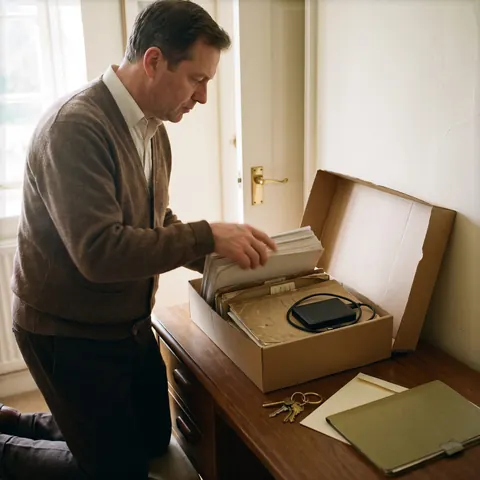
Ask which data you can download and in what format. Open a small trial export: does it contain contact details, dates, notes and the links between a customer and their bookings?
Also check attachments, such as photos or documents. A list of names is not enough if part of your work relies on files that remain inside the tool.
Distinguish data from code
Data is the information used in your work. Code contains the instructions that make the application run. Retrieving one does not mean retrieving the other.
If you can download the code, ask what is needed to run it elsewhere: hosting, a database, paid services? Whoever takes over should be able to try that installation, not just see a folder of files.
Keep access and explanations
Identify the accounts used to manage the domain name, hosting and connected services. Check who controls them and how another person can be given appropriate access.
Also keep a description of the application’s rules: cancellations, amount calculations, authorised users. These written decisions help someone continue the work without having to guess everything.
Check the terms of use too
Being able to copy files is a practical matter. The rights to use, change and pass on their contents are a separate question. They cannot be inferred from the presence of a download button.
Keep the tool’s terms and your agreements with any provider. If a clause leaves you uncertain, ask for a precise explanation before basing your project on an assumption.
Try a small exit exercise
Before investing more, try retrieving a project and some fictional data. Record what can be taken over easily, what is missing and what needs work. A possible handover can still cost money and take time.
In Maestro, projects are kept in a folder on your machine. Keep a separate backup and identify any external services used too. A local folder makes files easier to access; it does not replace this preparation.
Compare alternatives to Lovable: pricing, code and local workflows