
 By Thomas Cohen, founder of Maestro
Firebase Studio and GitHub Spark: preparing to take over your app
Firebase Studio shutting down does not mean the end of Firebase. Here are the official deadlines, the separate Spark situation and a method for locating code, data and access before changing tools.
Your app still opens, but the tool used to build it is announcing its closure. The first question is practical: will you be able to fix a problem, find your data and publish a change tomorrow? Before choosing another AI assistant, gather what someone else will need to understand and take over the project.
We follow Camille, who organises workshops, and Noé, who helps her prepare to take over a booking tool. Their application, records and the checks described are fictional. This guide combines official announcements checked on September 26, 2026 with a preparation method; it does not describe a migration we carried out for a customer.
1. Firebase Studio: what is closing and what remains
New signups and workspace creation have been blocked since June 22, 2026. Existing workspaces close on March 22, 2027. Firestore, Authentication and App Hosting remain available: the Studio environment is what shuts down. See the official timeline.
If you see “New user registration for Firebase Studio is currently closed”, first identify your situation: were you trying to create an account or access an existing workspace? Keep the exact message, the account used and the workspace address. Those details will help support more than simply saying “Firebase isn’t working”.
Google says it is bringing its AI creation tools together around AI Studio and Antigravity. Data remaining in the Studio workspace will be deleted when it closes. The official migration guide explains this decision. It does not mean that your application idea or its business workflow was wrong.
2. GitHub Spark: start with what you have already kept
GitHub retired Spark on August 31, 2026. Its announcement keeps already published apps running, but set that date as the deadline for exporting code through “Create repository”. Calls to llm() need replacing. The underlying service, GitHub Models, stopped on July 30.
First look for a repository or archive already created. Ask whoever built the app where the latest saved version is. If you find nothing, ask support to clarify what options remain. Do not confuse a visible application with recoverable source files; we offer no guarantee of recovery after the deadline.
If an AI feature no longer responds, describe which one: drafting a message, categorising a request or summarising text. Ask Noé to check its service and the credentials a replacement would need. Restarting the entire build before isolating the failure can waste time and introduce new errors.
3. Inventory six separate elements
Camille knows her application’s address and has a few screenshots. That helps explain its behaviour, but does not yet make it possible to run it elsewhere. With Noé, she prepares a record for each element. Every record identifies a location, a responsible person, the last check and what is missing.
- Code: files defining the screens and behaviour, with the version to take over.
- Data: bookings, contact details and documents actually stored.
- Accounts: the sign-in service and people able to administer the project.
- Configuration: service addresses and confidential credentials the app depends on.
- Publication: hosting, the public address and control of the domain name.
- Spending: active subscriptions, usage and the person receiving invoices.
One account may control several elements; that does not make them interchangeable. Camille may pay a subscription without having the access needed to change the app. Noé may have the code without being able to view bookings. Record these differences before making a copy or shutting down a service.
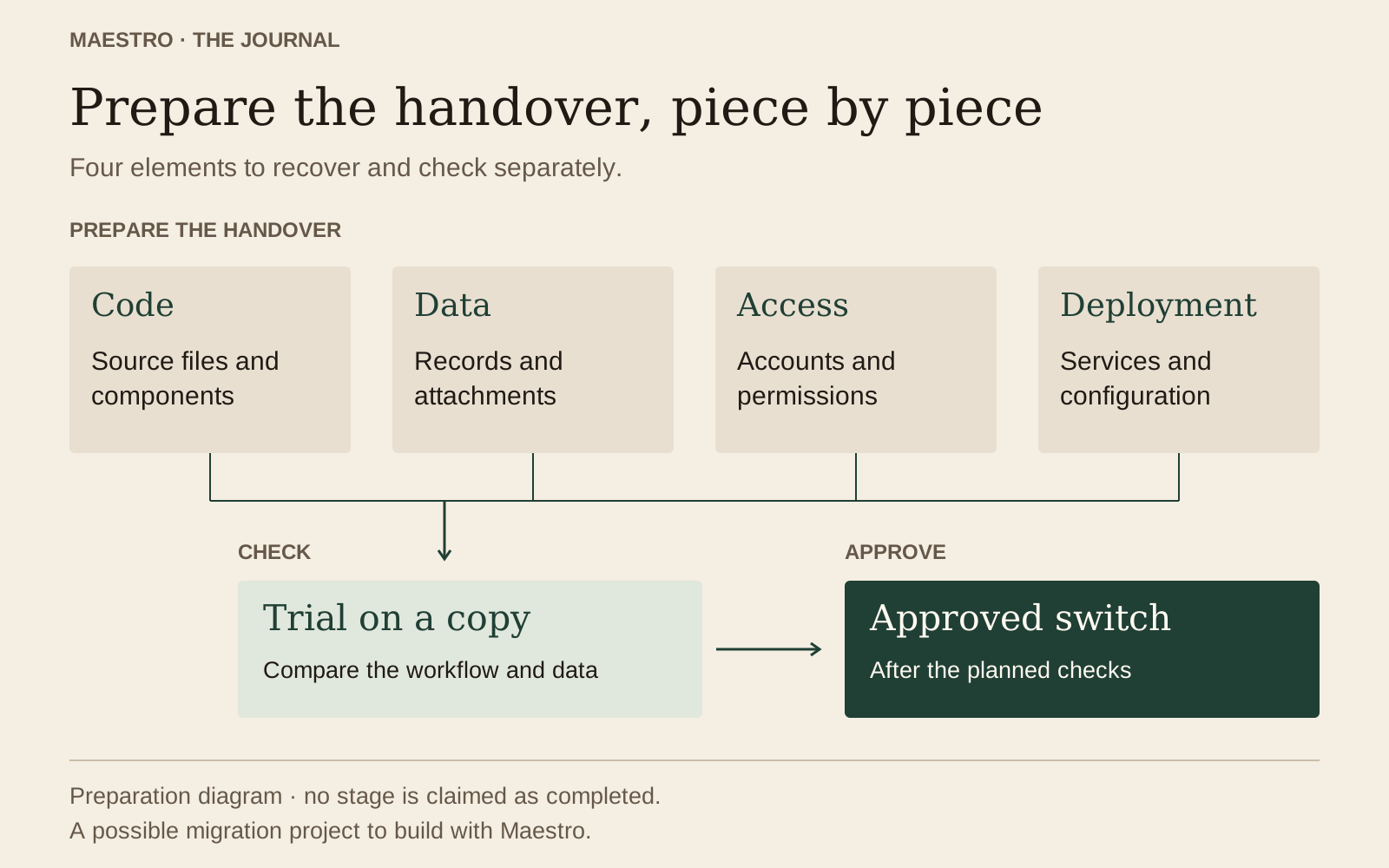
4. Retrieve the code and check what you received
In Firebase Studio, Google’s stated route is “Move now”, then “Zip and Download”. The migration guide describes options for your project. If someone shared the workspace with you, clarify the export method with its owner. Record the export date and have the downloaded archive opened: a completed download does not yet verify its contents.
Noé should be able to recognise the expected version, find the latest change to the booking screen and explain how to run a copy. Camille separately keeps a description of the workflow and important decisions. If the person taking over must guess every rule from an old conversation, the handover is still incomplete.
Work on a copy. Ask for original files to be retained and changes to remain identifiable. If the project will not start, record the exact message and the step that fails. “Replace files until it works” does not produce a procedure you can repeat.
5. Check data and accounts separately
A code archive is not evidence that bookings have been backed up. Have someone identify where they are stored, any attachments and an appropriate recovery method. Ask for checks using examples prepared for the trial. Avoid giving real contact details to a new assistant just to see whether it understands the project.
In our scenario, Camille chooses three fictional cases: a confirmed booking, a cancelled request and two people with the same name. She records the expected result for each. Noé must find the correct record, its status and its document. Counting three rows is not enough if the records have been mixed up.
Treat sign-in as a separate issue too. A customer list does not necessarily include what allows users to log in. Have existing accounts, new account creation, account recovery and permissions checked. Changing the interface without testing these workflows can leave users locked out.
The data migration guide helps prepare a mapping and a trial report. If data stays in the same service, write that down: moving the development tool does not require moving all the information. That decision must be confirmed for your actual project.
6. Locate credentials, the domain and spending
Noé inventories the required services without copying their secrets into a public document. A key granting service access must be managed in its intended secure location, with someone able to replace it. Ask which credentials the new environment needs and how their scope can be limited. Finding a value in an archive is not an invitation to distribute it.
Camille checks who controls the domain name and hosting. She asks what will change for visitors: the address, sign-in, emails received or links already shared. Before moving the public address, have dependent settings reviewed. A screen accessible at a test address does not prove that confirmations will reach customers.
For spending, list services that still charge fees and what they do. Who monitors the new AI provider’s usage? Which subscription may remain necessary during the trial? Under what conditions can the old one stop? Wait for verification before deleting a service that may still hold data or keep the app running.
7. Choose a handover path someone can maintain
Camille compares the options using a limited change: adding an optional field to a request, keeping existing bookings and publishing the update in a test environment. She observes what Noé has to install, explain or fix. That work gives a more useful basis than the number of tools listed on a comparison page.
The choice should specify where code will be kept, who can change it and how a new version will be published. Also ask what the next person will need to know to take over. If everything depends on an inaccessible personal account or an undocumented operation, the handover remains fragile.
A useful quote separates the initial review, adaptations, data recovery, testing and launch. It identifies unknowns before promising a total price. Project ownership and handover concern rights and access as much as copied files.
8. Run a complete trial with expected results
Prepare an environment where tests will not send messages to real customers or change bookings used day to day. Camille and Noé specify the fictional data to use and what needs disabling or replacing for the trial. Have that separation confirmed before the first click.
- An authorised person signs in and sees only the records intended for them.
- A new booking retains its date and status after closing and reopening.
- A cancellation frees the correct place without deleting other bookings.
- An attachment opens on the correct record and remains inaccessible to an unauthorised account.
- An AI feature produces a checkable result; failure gives an understandable message.
- A code change can be published again from the handed-over project files.
For each trial, record the date, the person, the expected result, the observed result and the evidence kept. In our example, a visible confirmation is not the same as receiving an email. Camille checks the test inbox as well. A reassuring answer from the agent does not replace that observation.
After a fix, repeat the affected checks and a complete workflow. If sign-in works only with Noé’s account, the work is not finished for Camille. Have a competent person review technical aspects and permissions; business workflow tests do not cover every risk.
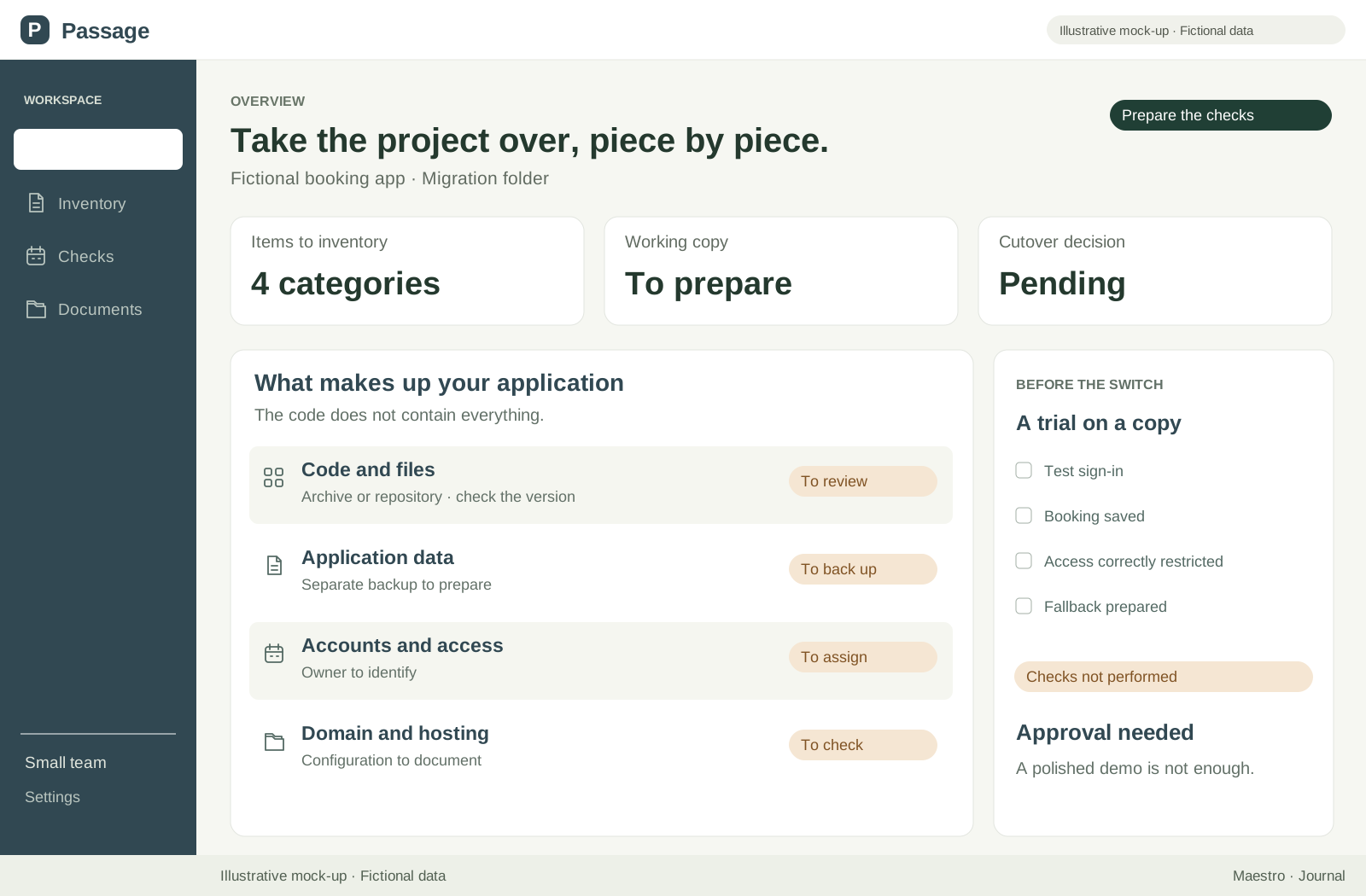
9. Prepare the change and a possible rollback
Decide which system is authoritative during the transition. If the old application still receives bookings, explain how they will be found after the change. A copy made on Monday does not automatically include Tuesday’s requests. Name the person who reconciles new records before approving the switch.
The rollback plan should specify the version to restore, the data to retain and the necessary actions. Have the procedure rehearsed on a copy. Returning to old code does not necessarily recover new bookings, and an old backup can remove recent changes if used without preparation.
Also agree on reasons to stop: missing records, incorrect access, a confirmation not received or an inability to publish a fix. Decide who makes that call and who can intervene. Camille does not switch because the deadline is approaching; she switches when the agreed conditions are met and the team knows what to do if something goes wrong.
10. Finish with a decision and named responsibilities
Do you need to rebuild everything? Not before determining what is missing. Lost access, an AI feature needing replacement and code that will not run are three different problems. Ask for the work actually needed to be priced. If the project’s condition is still unknown, begin with a limited assessment and a written result.
Can you continue with Maestro? We make Maestro, which helps you direct AI agents to build or take over projects from a Mac. It does not guarantee automatic migration from Studio or Spark. Compatibility, data and deployment must be examined and tested; no demo screenshot proves your application can be taken over.
Project files stay on your machine, with possible exchanges with AI providers, as explained on our data page. The invitation-only beta is free; AI usage and your application’s running costs still need budgeting. Choose this route only if someone can understand and maintain the result.
Before concluding, Camille completes her checklist: code checked, data located, sign-in tested, publication repeated, spending identified and rollback prepared. Every item has an owner and evidence, or an open question. That handover supports the next decision, whichever tool is chosen.
Read the complete guide: build an application without coding